Improving Website Quality: A Guide to Google Lighthouse

Executive Summary In this report, we will provide an overview of Website Quality and its importance for organizations.
Google Lighthouse is a tool that helps us see the hidden potential of your WordPress or Drupal web pages. It checks four main areas: Performance, SEO, Best Practices, and Accessibility. While a perfect score of 100 is great, we believe it is more important to make real, steady improvements. During our website development process, we focus on things like better images and faster loading rather than just chasing a single number.
The Four Pillars of a Healthy Website
Lighthouse looks at your site in four ways to see how healthy it is:
- Performance: This measures how fast your site feels for visitors.
- SEO: This checks the technical parts that help search engines find your content.
- Best Practices: This makes sure your site is secure and up to date.
- Accessibility: This looks at how easy it is for everyone to use your site, including people with disabilities.
Why Do Lighthouse Scores Change?
It is normal for scores to go up and down. This does not always mean there is a big problem. Often, scores change because of your internet speed or the type of computer you use. At Spry, we use these scores as a guide. They help us build trust and long-term relationships with you by being honest about your website’s quality and health.
How to Run Your Own Lighthouse Audit to Monitor Website Quality
There are two easy ways to check your site:
- Chrome DevTools: This is built into your web browser. It is great for a quick check while you work. Our development team uses this tool while on their local and before a website is launched for public view. It also provides specific scores that help designers make sure we are meeting all web standards.
- PageSpeed Insights: This uses Google’s own servers for a more standard report. This actually uses real information from actual people who visited the website over the last 28 days.
We show you the ‘why’ before we figure out the ‘how.’ Our goal is to make the internet a little better for your users.
Spry Digital Team
Method 1: Chrome DevTools (Local)
- Go to your website in a Chrome web brower.
- Open the DevTools panel in Chrome (right click on page and select Inspect or select the three dots in upper right corner, More tools, select Developer tools).
- Navigate to the Lighthouse tab (look for the >> in the top menu of DevTools.
- Select your desired categories and device type (Mobile or Desktop).
- Click Analyze page load.
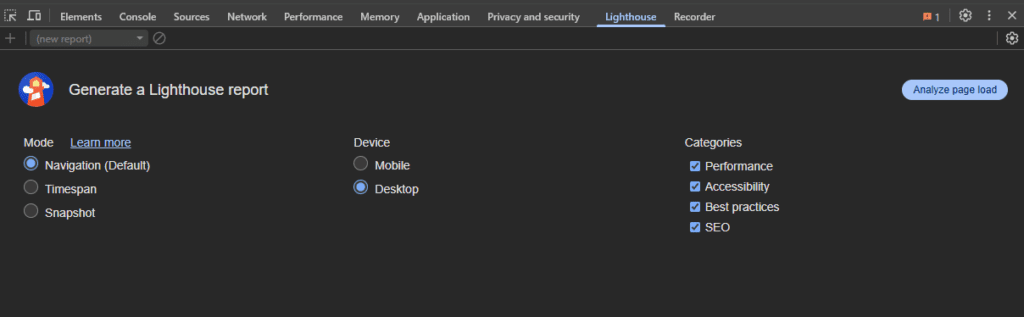
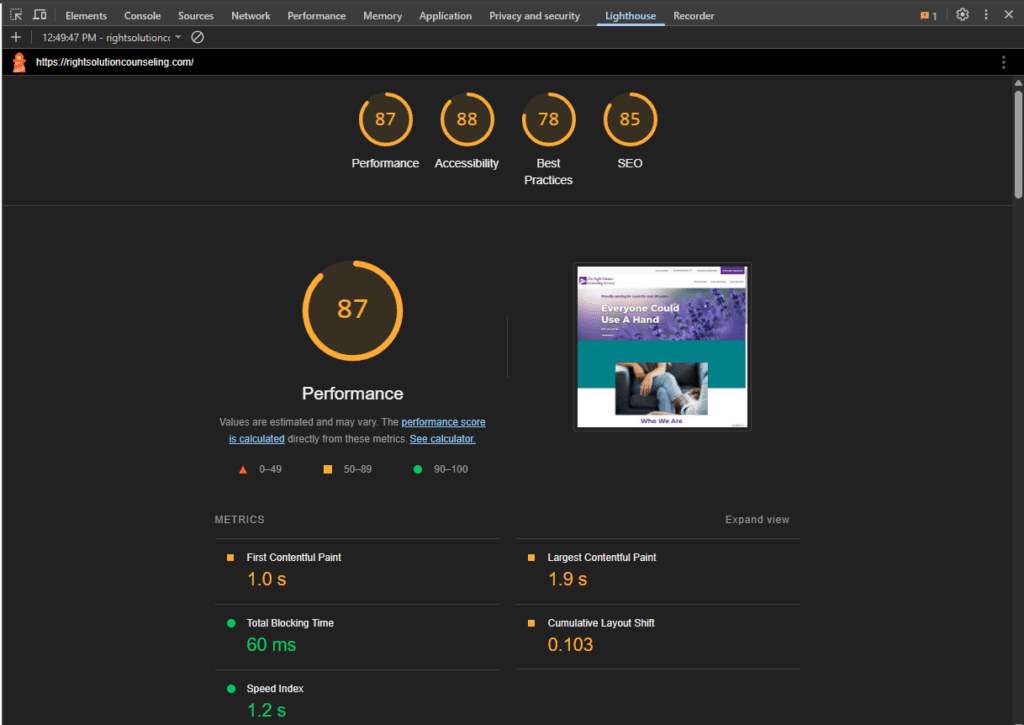
The audit will run for a minute or two and display the results within the DevTools pane.
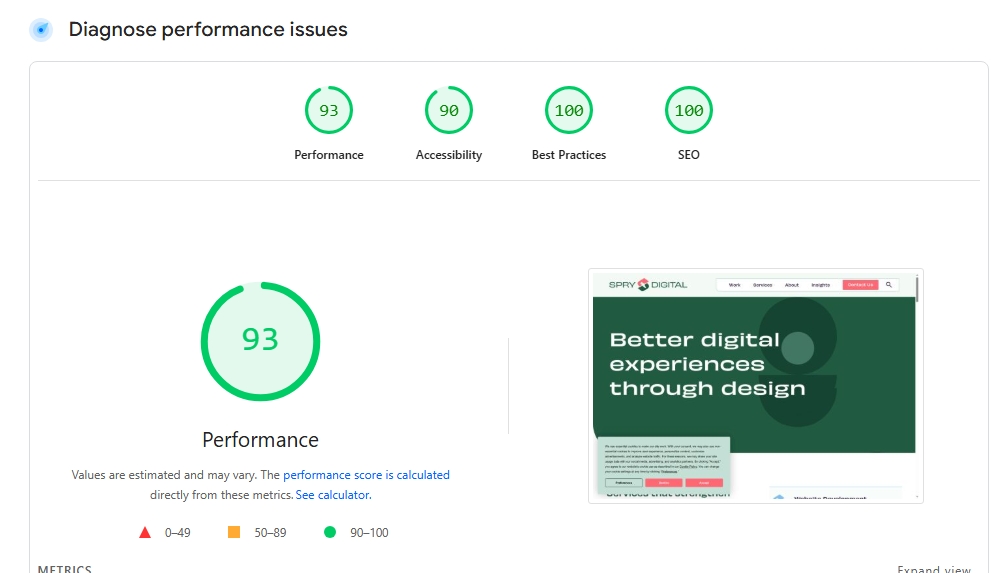
Method 2: PageSpeed Insights (Remote)
Visit pagespeed.web.dev, enter your URL, and click Analyze. This provides a standardized report from Google’s servers, allowing you to easily toggle between mobile and desktop results.
Advanced Technical Approaches to Improve Website Quality
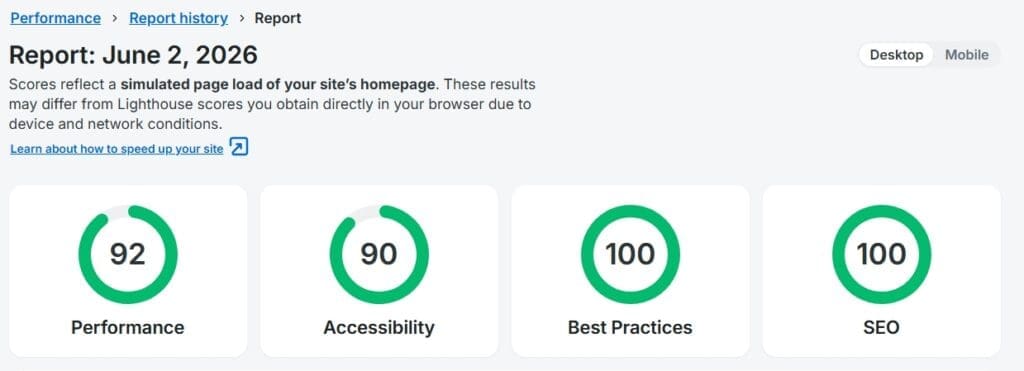
For repeatable testing and regression tracking, developers can integrate Lighthouse into CI/CD pipelines or run it via the Lighthouse CLI (command line interface). Hosting providers like WP Engine also offer built-in automated reports that can be emailed weekly or monthly.
Our Strategy: How to Improve Your Lighthouse Scores
Improving your scores is important to your website quality and is an ongoing process of refinement. Use these strategies for the biggest payoff:
- Easy / Quick Wins: Optimize images, refine meta descriptions, and ensure all images have descriptive alt-text. This is building the foundation for improved SEO and AEO insights.
- Cleanup: Regularly audit and remove unused plugins, media, marketing tools, and analytics scripts.
- Technical Consultation: Work with developers on advanced caching strategies and code optimizations.
Conclusion & Frequently Asked Questions
Lighthouse scores are an ongoing check-in for your website’s health. As web technologies evolve, so will the audits. Use these reports as a roadmap for continuous improvement rather than a one-time project.
A Lighthouse score of 90 or above is considered “good” and will be highlighted in green. Scores between 50 and 89 are “average” (orange), and scores below 50 are considered “poor” (red). However, the goal should be continuous improvement of the user experience rather than just hitting a specific number.
Not necessarily. While high performance and technical SEO scores are positive signals for search engines, Lighthouse does not measure content quality, backlinks, or user engagement, all of which are critical for SEO rankings. A site can have a 100 score and still rank poorly if the content is not relevant to the user’s search.
You should perform regular audits, especially after making changes to your site’s code, plugins, or content. Many businesses set up automated weekly or monthly reports through their hosting providers or CI/CD pipelines to catch performance regressions early.
Mobile audits simulate slower computing power and throttled network conditions (such as a mid-tier 4G connection). This is done to evaluate the experience for users with bandwidth constraints or older devices, which typically results in lower performance scores compared to the faster conditions of a desktop audit.
Meet the author